
Self-publishing a nonfiction book on Amazon is more straightforward than most authors expect. The platform is free to use, your book can go live in under 72 hours, and you keep a significant share of every sale. This guide walks you through each step, with specific tool recommendations so you’re never left guessing what software to use next.
Step 1: Create Your Amazon KDP Account
Your goal here is simple: get a free account set up on Kindle Direct Publishing so you have a place to upload your book when it’s ready.
Go to kdp.amazon.com and sign in with any existing Amazon account. If you don’t have one, creating a new account takes about two minutes. KDP is free to join, and Amazon charges no upfront fees to publish.
Once you’re in, you’ll see your Bookshelf dashboard. This is where all your titles live. Before you upload anything, fill out your tax information and set up a payment method under the “Account” tab. Amazon pays royalties by direct deposit or check, depending on your country, so this step has to be done before your book can earn money.

Don’t overthink this step. The account setup itself is not where authors get stuck. The work comes later. By the end of this step, you should have a verified KDP account with payment details saved and your Bookshelf open and ready.
If you want a broader look at where KDP fits among other publishing options, the guide to the best self-publishing platforms for nonfiction authors on Bradley Johnson Productions breaks down the full landscape clearly.
Step 2: Define Your Book Concept and Target Reader
Before you write a single chapter, you need to know exactly who you’re writing for and what problem your book solves for them.
The biggest mistake nonfiction authors make at this stage is writing a book that tries to cover everything. A book that helps one specific reader solve one specific problem will always outsell a book that tries to help everyone. Think about it this way: a book called “Everything About Personal Finance” competes with thousands of titles. A book called “How Freelancers Can Pay Off Debt in 18 Months” speaks directly to a person who already knows they have that problem.
Start by writing one sentence that describes your ideal reader. Include their main frustration, what they’ve already tried, and what they want. Then write one sentence that describes what your book does for them. If you can’t write both sentences clearly, the concept needs more focus before you start writing.
Once you have that picture, using reader surveys to validate your nonfiction book idea is one of the fastest ways to confirm you’re on the right track before you invest months of writing time.
Also think about comparable authors. Who else writes books for this reader? What are those books missing? Your concept should have a clear angle that sets it apart, not just a different title on the same idea.
By the end of this step, you should have a one-sentence reader description, a one-sentence book promise, and at least two comparable titles you can study for positioning.
Step 3: Write, Edit, and Polish Your Manuscript
The goal of this step is a clean, reader-ready manuscript. Writing the first draft is only part of the work.
For the writing itself, most nonfiction authors do well with a simple outline: introduction, core chapters organized by problem or process, and a conclusion with a clear next step for the reader. Don’t write chapters in isolation. Know how each one connects to the one before and after it.
When the draft is done, run it through a tool like Grammarly or ProWritingAid to catch surface-level errors. These tools are genuinely useful for catching typos, awkward phrasing, and passive voice. But here’s the warning that shows up across nearly every self-publishing guide worth reading: automated tools are not a substitute for a human editor. They miss context, they can’t tell you when a paragraph is confusing, and they won’t catch a logical gap in your argument.
If your budget allows, hire a professional editor. At minimum, hire a proofreader. The most repeated mistake among first-time self-publishers is over-relying on software and skipping human review entirely. Readers notice. Bad editing shows up in your reviews fast, and those reviews follow your book for years.
Setting a writing schedule before you start also matters more than most authors admit. The guide to setting realistic writing goals for finishing a nonfiction book at Bradley Johnson Productions gives you a framework for building a routine that actually holds.
Beta readers are another tool worth using. Send a near-final draft to three to five people who match your target reader profile. Ask them which sections felt slow, which parts confused them, and what questions the book left unanswered. Their feedback will surface problems your editor won’t catch because they’re reading as real readers, not as professionals.
By the end of this step, your manuscript should be edited, proofread, and reviewed by at least one person outside your own head.
Step 4: Format Your Manuscript and Design Your Cover
This step turns your Word document into a file Amazon can actually publish. It also produces the cover that will determine whether anyone clicks on your book in the first place.
For formatting, KDP accepts several file types, but a properly formatted Word document works for most authors. Inside margins need to account for your page count, and if your page count changes during edits, go back and check the margin settings again. A tool like Atticus handles most of this automatically and is worth the cost if formatting feels overwhelming.
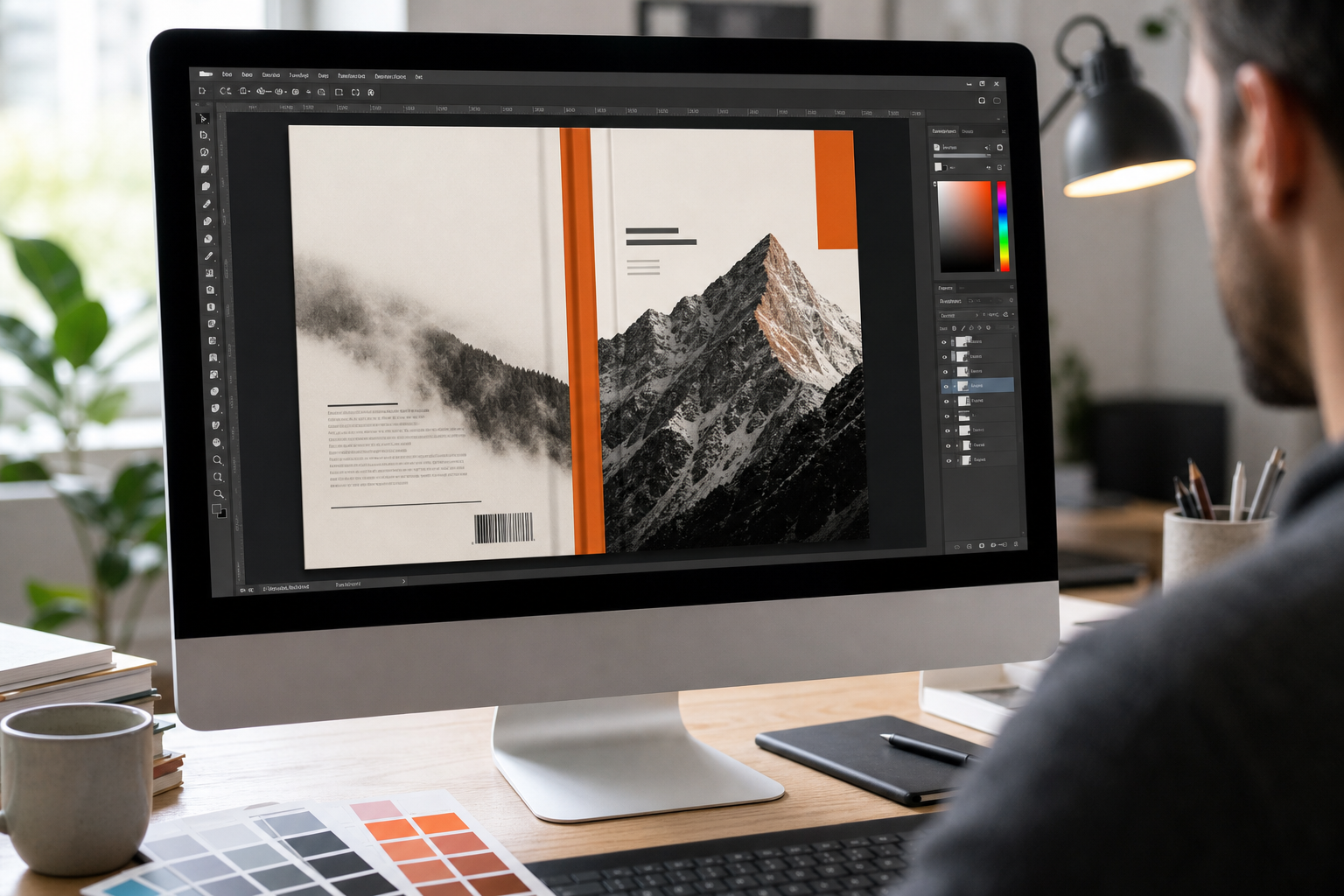
For the cover, people judge books by their covers. This is not a cliché. It’s a documented behavior. On a budget, Canva gives you a starting point. But nonfiction covers have specific conventions: clear typography is often the most important element because many nonfiction topics resist figurative imagery. A subtitle on the front cover is standard in nonfiction, unlike fiction where designers strip extra text away. White space is your friend. A cluttered cover signals a cluttered book.
If your budget allows, hire a professional cover designer. The difference between a DIY cover and a professional one is visible immediately in Amazon search results, and it directly affects click-through rate. For a detailed comparison of cover design services, the book cover design service reviews for nonfiction authors at Bradley Johnson Productions compares the main options side by side.
By the end of this step, you have a formatted interior file and a finished cover image that meets KDP’s specifications.
Step 5: Choose Categories and Set Your Book Price
Categories are more important than most authors realize. They determine where your book appears in Amazon’s browse system and how easily readers can stumble across it.
Amazon has many book categories, and more than 27% of them are what researchers call ghost categories: they exist in the KDP dashboard but have no real browse page where shoppers can find your book. Choosing a ghost category means your book can never earn a bestseller tag there, no matter how many copies you sell. The only way to check manually is to follow the category path all the way to its final subcategory and confirm the page exists. A tool like Publisher Rocket does this automatically and also shows you how many daily sales you’d need to reach the number one spot in any given category.
KDP lets you choose up to three categories. Use a three-slot approach: your main niche, a complementary angle, and a stretch category where competition is lower but relevance still holds. After you publish, Amazon can and sometimes does change your categories if your metadata points somewhere else, so monitor your category placements in the weeks after launch.
For pricing, you control the list price. KDP offers a 70% royalty on ebooks priced within a certain range in the US, and 35% outside that range. Most nonfiction ebooks land in a typical price range. For print, KDP calculates your royalty after subtracting printing costs, so use their royalty and pricing calculator before you finalize a price. Don’t obsess over finding the perfect price. Getting the book live matters more than optimizing to the nearest dollar.
By the end of this step, you have three categories selected and a list price entered for both ebook and print formats.
Step 6: Publish and Launch Your Book
Publishing and launching are two different things. Publishing is clicking a button. Launching is everything you do to get readers to notice the book once it’s live.
To publish, go to your KDP Bookshelf and click “Create a New Title.” Fill in your metadata: title, subtitle, description, keywords, and categories. Upload your interior file and cover. Preview the book using KDP’s online previewer. Then submit. KDP typically reviews and approves books within 24 to 72 hours. Amazon limits authors to three new book publications per day, so if you’re planning a series, pace yourself and prioritize quality over volume.
For the launch, the simplest strategy that actually works is to start before the book goes live. Build a list of early readers who have agreed to leave an honest review on launch day. Even ten reviews in the first week signals to Amazon that the book has momentum. Send a launch-day email to your list, post on whatever social channels you use, and follow up mid-week asking readers to leave a review if they haven’t already.
A well-planned launch starts at least six months before your release date. If that sounds like a long runway, the realistic book launch timeline for nonfiction authors at Bradley Johnson Productions maps out exactly what to do in each phase so nothing falls through the cracks.
One mistake that kills otherwise good launches: authors keep tweaking, editing, and waiting instead of publishing. At some point, you have to hit publish. A book that is 95% ready and live will always outperform a book that is 100% perfect and sitting on your hard drive. The Bradley Johnson Productions Non-Fiction Author Coaching Program is built around this principle, giving authors an end-to-end roadmap that moves them from concept to launch without the endless second-guessing that keeps most writers stuck.
After launch, set up a simple tracking system. Note your Best Seller Rank in each category weekly, track your review count, and watch your conversion rate. When you see a pattern working, repeat it. When something stalls, try a different angle. The author Amazon algorithm guide at Bradley Johnson Productions gives you a two-week audit routine that keeps your book’s visibility from quietly fading after the launch window closes.
Automation can also take real pressure off your post-launch promotion. Many authors use email sequences to stay in front of readers without manually sending every message. A guide on implementing business automations can help you set up the kind of hands-off systems that keep your launch energy going after the first week.
By the end of this step, your book is live on Amazon, you have at least a handful of early reviews, and you have a weekly monitoring habit in place.
Frequently Asked Questions
How much does it cost to self-publish a nonfiction book on Amazon?
Publishing on Amazon KDP is free. There are no upfront fees to upload your manuscript or cover. You pay only in the form of royalties Amazon keeps from each sale. Optional costs you might choose to spend money on include professional editing, cover design, and formatting tools. These are not required by KDP, but they significantly affect how your book performs.
How long does it take for a book to go live on Amazon after you submit it?
Amazon typically reviews and approves new books within 24 to 72 hours of submission. Occasionally it takes longer if there’s a metadata issue or a cover file problem. You’ll get an email notification when the book is live. Print books sometimes take a few additional days because KDP needs to verify the interior file against the cover dimensions.
Do I need an ISBN to publish a nonfiction book on Amazon?
No. Amazon KDP assigns a free ASIN (Amazon Standard Identification Number) to every ebook, and you can use a KDP-assigned ISBN for print books at no cost. If you want your own ISBN that lists you as the publisher rather than Amazon, you can purchase one from your country’s ISBN agency. This matters mainly if you plan to distribute through other retailers as well.
What royalty percentage does Amazon KDP pay for nonfiction ebooks?
KDP offers a 70% royalty on ebooks in a specific price range in supported marketplaces. Books priced outside that range earn 35%. For print books, Amazon pays 60% of the list price minus the printing cost, which varies by page count and trim size. Use KDP’s built-in royalty calculator before you finalize your price to see the exact amount per sale.
Can I publish a nonfiction book on Amazon while working with a traditional publisher?
It depends on your contract. If you have a traditional publishing deal, your contract likely grants the publisher exclusive rights for a set period, which would prevent you from self-publishing the same content on Amazon. For new or uncontracted work, you’re free to self-publish independently. Many authors maintain both a traditional backlist and a self-published catalog simultaneously.
What is the biggest mistake first-time nonfiction authors make on Amazon KDP?
The most repeated mistake is skipping professional editing and relying entirely on automated tools like Grammarly. Software catches surface errors but misses logical gaps, confusing structure, and weak arguments. Readers leave reviews that mention poor editing, and those reviews stay on your book’s page permanently. Investing in at least one human editor before you publish protects your reputation and your sales.
Conclusion
The path from blank page to published Amazon book is straightforward when you take it one step at a time. If you want structure, accountability, and a proven system to follow, the Bradley Johnson Productions Non-Fiction Author Coaching Program gives you exactly that. Start by opening your KDP account today and getting your concept on paper. Everything else follows from there.