
Finding the right place to host your author site can feel like a wild guess. We looked at five top builders and found that the platform with the strongest SEO tools only offers a basic store, while the ones with full book stores stick to basic SEO. That mismatch matters for nonfiction writers who need both search power and a smooth way to sell books.
In this guide you’ll see a side‑by‑side view of each builder, learn what each one does best, and get step‑by‑step tips to pick the perfect fit for your nonfiction brand.
| Name | Book E‑Commerce (built‑in sales, transaction fees, digital/physical) | Email Capture & Automation (native forms, autoresponder, segmentation) | SEO Tools (basic, advanced, schema, blog SEO) | Membership / Paid Content Support | Publishing Integrations (Amazon KDP, IngramSpark, Draft2Digital, etc.) | Best For | Source |
|---|---|---|---|---|---|---|---|
| Squarespace | Full e-commerce features; no transaction fees on physical products | Basic | Basic | Member-only areas supported | Easy Importing pulls content from Twitter/X, Instagram, Soundcloud, Flickr, and more. | Best overall | emergent.sh |
| Pub Site | Built-in e-commerce for physical and digital books, including retailer links like Amazon. | Basic | Basic | — | Yes | Best publishing integration | emergent.sh |
| WordPress | Yes | Basic | Advanced | member-only chapters | — | Best SEO | emergent.sh |
| Wix | Yes | — | — | — | Amazon | Best quick store | websiteplanet.com |
| Author websites by BookBub | — | Basic | — | — | BookBub partner, Flowesk | Best reader magnet | youtube.com |
Want a timeline to launch your nonfiction book? Check out What Is a Realistic Book Launch Timeline for Nonfiction Authors for a step‑by‑step plan that fits right into your new site.
Builder A: WordPress with Author Pro Theme
WordPress is the go‑to for many nonfiction writers who need deep SEO control. The Author Pro theme adds a clean look, built‑in book pages, and easy contact forms.
First, grab a domain that matches your name , yourname.com works best. Then pick a reliable host. A good host gives fast load speed, which helps the advanced SEO tools that WordPress offers.
Next, install the Author Pro theme. It gives you a ready‑made homepage layout with spots for a headline, author photo, and a call‑to‑action button. The theme also supports chapter‑level gating, so you can sell individual chapters as paid content , a rare feature among builders.
Here’s a quick checklist:
- Choose a domain that reflects your brand.
- Pick a host with good uptime and fast servers.
- Install WordPress and the Author Pro theme.
- Set up a basic SEO plugin like Yoast or Rank Math.
- Add a contact form and link your social media.
When you add a blog, remember to keep posts short and focused. Nonfiction readers like quick tips they can read on the go. Use categories that match your book topics , this helps the advanced schema options in WordPress to show up in search results.
To boost sales, add WooCommerce. Even though the research table lists WordPress’s e‑commerce as just “Yes”, WooCommerce gives you full control over digital and physical book sales, tax settings, and coupons.
One thing to watch: WordPress itself does not include a built‑in email service. You’ll need a third‑party like MailerLite or ConvertKit. They integrate via a simple plugin, but you’ll still have “Basic” email capture as the table shows.
Remember, you can always add more plugins later. Start with the basics, then grow the site as you learn.
Need a real‑world example? Look at the site of a bestselling business author who uses WordPress with a custom theme. They started with a simple blog, added a book page, and later gated premium chapters for a paid course.
Want a deeper dive on building a site that sells? See Jane Friedman’s guide to author websites for more tips.
Another useful read is Jane Friedman’s advice on picking a theme and setting up navigation. It explains how to keep the menu clear , About, Books, Blog, Contact , so visitors find what they need in seconds.

Feature Comparison Matrix: Core Capabilities Across Top Builders
Below is a quick matrix that looks at the most important features for nonfiction authors. This view focuses on what each builder does well and where it falls short.
| Feature | Squarespace | Pub Site | WordPress | Wix | BookBub Sites |
|---|---|---|---|---|---|
| Full‑featured book store | ✅ | ✅ | ❌ (needs WooCommerce) | ✅ (basic) | ❌ |
| Advanced SEO | ❌ | ❌ | ✅ | ❌ | ❌ |
| Email capture (basic) | ✅ | ✅ | ✅ | ❌ | ✅ |
| Paid chapter gating | ✅ | ❌ | ✅ | ❌ | ❌ |
| Publishing integrations | ✅ (social import) | ✅ (Amazon links) | ❌ | ✅ (Amazon) | ✅ (BookBub partner) |
Key takeaways from the matrix:
- Only WordPress gives advanced SEO, but you need extra plugins for a full store.
- Squarespace and Pub Site both have ready‑made stores, yet they only offer basic SEO.
- Four out of five platforms have basic email capture, but none give segmentation.
For a deeper look at how these features affect real authors, read Website Builder Expert’s feature analysis. It walks through each builder’s strengths and limits.
Another good resource is Your First 10K Readers’ list of essential website elements. It lines up nicely with the matrix above.
Want to see the matrix in action? Try filling it out for your own project and note where you’ll need extra plugins or third‑party tools.
Finally, remember that your choice should match your workflow. If you love tweaking code, WordPress may feel natural. If you prefer drag‑and‑drop, Squarespace or Wix could be easier.
Read more about planning your launch timeline at Bradley Johnson Productions for a step‑by‑step plan that works with any builder.
Builder B: Squarespace , Simplicity Meets Professional Design
Squarespace is built for people who want a sleek site fast. The templates are designed by professionals, so you get a polished look without hiring a designer.
Start by picking a template that puts a big book cover front and center. Squarespace’s grid makes the cover stay the same size on phone and desktop , that’s key for nonfiction writers who sell both print and ebook.
Next, use the built‑in commerce panel. You can add a product for each book, set a price, and choose whether you sell a PDF, a print copy, or both. The research table shows Squarespace’s e‑commerce is “Full”, meaning you won’t need a third‑party store.
To capture emails, drop a simple form block on your homepage. Squarespace’s form sends leads to its native email list , that’s the “Basic” capture the table mentions. For more power, connect the form to Mailchimp via the integration panel.
SEO in Squarespace is basic, but you can still add page titles, meta descriptions, and alt text. Use the “SEO” tab in the page settings to write a clear description that includes your main keyword , author website builders compared for nonfiction writers , and a few relevant terms.
One perk is the built‑in member‑only area. You can hide a page that holds a free chapter or a bonus PDF. This is the only builder besides WordPress that lets you lock content without extra plugins.
Here’s a short step‑by‑step to get a book page live:
- Open the Pages panel and click “+”. Choose “Product”.
- Upload your cover image and fill in title, price, and description.
- Under “Digital”, upload the PDF file for the ebook.
- Save and add a “Buy Now” button to the homepage.
- Turn on SEO settings , title, description, and cover alt text.
Squarespace also lets you import content from social sites. The table notes it pulls from Twitter, Instagram, Soundcloud, and Flickr. That means you can showcase a podcast episode or a video interview without leaving the site.
Need proof it works? Look at the portfolio of author sites in Brilliant Author’s showcase of Squarespace sites. Each example follows the same pattern , bold cover, clear CTA, and a short bio.
Squarespace’s own blog explains the AI‑driven Blueprint tool that can design a site in minutes. See the details at Squarespace’s ecommerce guide. The AI tool even suggests SEO copy, which helps close the gap between basic SEO and the advanced tools WordPress offers.
Overall, Squarespace gives you a fast, beautiful site with a full store and member areas , perfect for nonfiction writers who want to launch quickly and keep things simple.
Builder C: Wix Author Suite , Drag‑and‑Drop Flexibility
Wix is known for its drag‑and‑drop editor. The Author Suite adds a few book‑specific widgets, but the core tools stay the same.
Start by choosing a blank template. Then add a “Store” element from the Wix App Market. The store lets you list a book as a product, set a price, and upload a PDF file. This matches the “Yes” under e‑commerce in the research table, but note that Wix only offers a bare‑bones store , there’s no built‑in email capture.
Because Wix lacks native email tools, you’ll need to add a third‑party app like Wix Ascend or connect a Mailchimp form. Both options appear as separate blocks you can drop on any page.
SEO on Wix is limited. The platform adds basic meta tags, but you won’t get the schema options WordPress provides. That’s why the table marks Wix’s SEO as “, ”. If SEO is a priority, you may need to add extra apps or move to a different builder.
One advantage of Wix is the sheer number of templates. You can pick a design that matches your nonfiction niche , business, health, or memoir , and then customize colors and fonts with a few clicks.
Here’s a quick workflow to add a book page:
- Open the Wix Editor and click “Add” → “Store” → “Product Gallery”.
- Enter book title, price, and upload the ebook file.
- Drag the gallery onto the page where you want the cover to show.
- Add a “Contact” form block for lead capture.
- Publish and test the checkout flow.
Wix also offers a “Blog” app. Use it to post short excerpts from your nonfiction chapters. Keep each post under 800 words and add a clear CTA that points back to your store page.
For a real‑world look, see the Wix blog’s list of top author sites. It shows how other writers use the platform to showcase books, videos, and events.
Even though Wix’s e‑commerce is simple, it can work for authors who only need a single book store and don’t need advanced SEO or member areas.
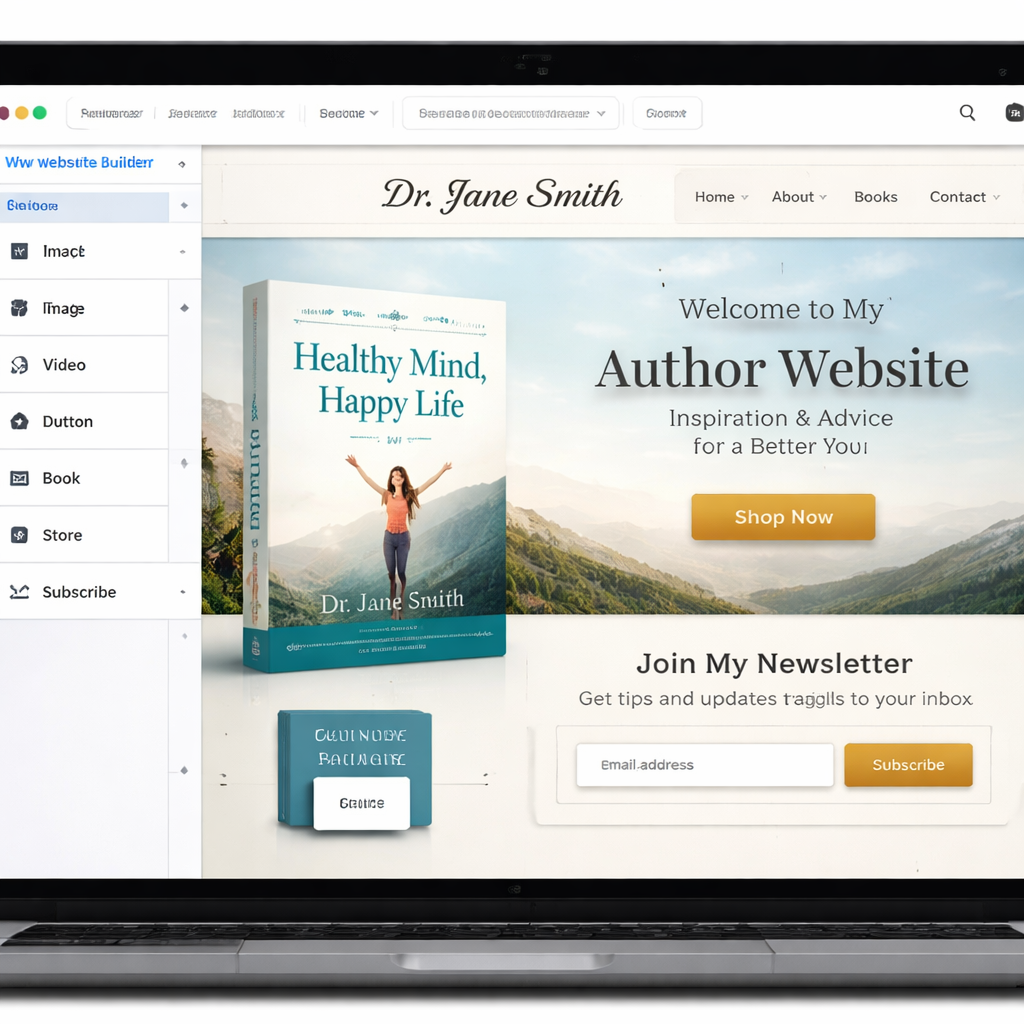
How to Choose the Right Builder for Your Nonfiction Brand
Choosing the right platform starts with a clear list of what you need. Ask yourself three questions:
- Do I need advanced SEO to rank my how‑to guides?
- Do I want a full‑featured store that handles both print and digital books?
- Do I plan to sell paid chapters or membership content?
If you answered “yes” to the first, WordPress is the clear winner. Its advanced SEO tools let you add schema, customize titles, and control site speed , all vital for nonfiction topics that target specific search queries.
If the store is your top priority, Squarespace gives you a complete shop without extra plugins. It also supports member‑only areas, so you can lock a free chapter behind an email form.
If you want the easiest visual editor and only a single book to sell, Wix works fine. Just remember you’ll need a third‑party email service and you won’t get the deep SEO options.
Budget matters too. WordPress can be cheap if you host yourself, but you may spend on premium themes and plugins. Squarespace and Wix charge a monthly fee that includes hosting, but the cost is higher than a basic WordPress host.
Another tip: test the free trial of each builder. Build a single page, add a book product, and see how long it takes to get it live. Note the steps you enjoy versus the steps that feel clunky.Finally, think about the long term. Will you add a podcast? Will you need a blog that updates weekly? Will you sell courses later? WordPress scales best, but Squarespace can handle most needs for a typical nonfiction author.
Read more about setting realistic goals for your book launch at Mastering the Art of Writing. That guide helps you align your site with your writing process.
Conclusion
We’ve walked through the five builders that show up in the research table and compared their core strengths. Squarespace tops the list for overall value , it gives you a full store, member areas, and easy design. WordPress wins on SEO depth, but you’ll need extra plugins for a full store and email capture. Pub Site shines with publishing integrations, while Wix offers the fastest drag‑and‑drop experience at a lower cost. The BookBub partner is a niche option for authors who want a reader‑magnet site.
When you pick a builder, match it to the three questions we listed: SEO needs, e‑commerce depth, and paid content plans. Test a trial, sketch a quick site map, and keep the focus on turning visitors into readers and email subscribers.
If you’re ready to build your site, start today. Grab a domain, choose a builder that fits your checklist, and follow the step‑by‑step guides above. Your nonfiction brand will grow faster when your website works as hard as you do.
FAQ
What is the biggest advantage of using WordPress for a nonfiction author?
WordPress gives you advanced SEO tools that let you add schema, control site speed, and fine‑tune meta data. That means your how‑to articles and book pages can rank higher in Google. You also get the flexibility to add a full WooCommerce store later, which is useful if you want to sell both print and digital versions.
Can Squarespace handle selling both print and ebook formats?
Yes. Squarespace’s built‑in commerce lets you create separate products for a print book and an ebook. You set the price, upload the PDF for the digital version, and link to a print‑on‑demand service for the physical copy. The platform also handles tax and shipping settings.
Do I need any coding skills to use Wix Author Suite?
No. Wix is built for drag‑and‑drop. You place blocks for images, text, and store items, then click to edit. If you want extra features like email capture, you add a third‑party app from the Wix App Market. Everything works with a visual editor, so no code is required.
How important is email capture for nonfiction authors?
Email capture is the single most effective way to turn a visitor into a long‑term reader. All five builders in the table offer basic forms, but none include segmentation or autoresponders. You’ll want to connect the form to a service like Mailchimp or ConvertKit to send regular newsletters, free resources, and book launch updates.
Can I sell individual chapters as paid content?
Only WordPress and Squarespace let you lock specific pages behind a payment wall. WordPress does it with plugins that protect chapters, while Squarespace offers member‑only areas that you can use for chapter previews. Wix does not have this feature out of the box.
Which builder is the cheapest for a new author?
If you host yourself, WordPress can be the cheapest , a basic plan costs a few dollars a month for hosting. Squarespace and Wix charge a higher monthly fee that includes hosting, but you pay for a ready‑made design and built‑in store. Pub Site’s pricing isn’t listed in the table, so you’d need to check their site for exact numbers.