
Want to sell more books and keep readers happy? You can do it by pricing bundles the right way. In this guide you’ll see how to set author book bundle pricing that feels fair, drives sales, and fits your goals.
We looked at five author‑bundle platforms. The free, open‑source WooCommerce packs the most sophisticated discount engine, while paid SaaS tools lag on automation.
We pulled data from three sites on April 15 2026. We looked for discount type, automation, integrations, free tier, and price. The table shows five items. That’s the whole sample.
Step 1: Understand Your Bundle Value
Before you set a price you need to know why a bundle matters. A bundle gives readers more for less. It also lets you sell multiple books in one go. That can boost your income and grow your fan base.
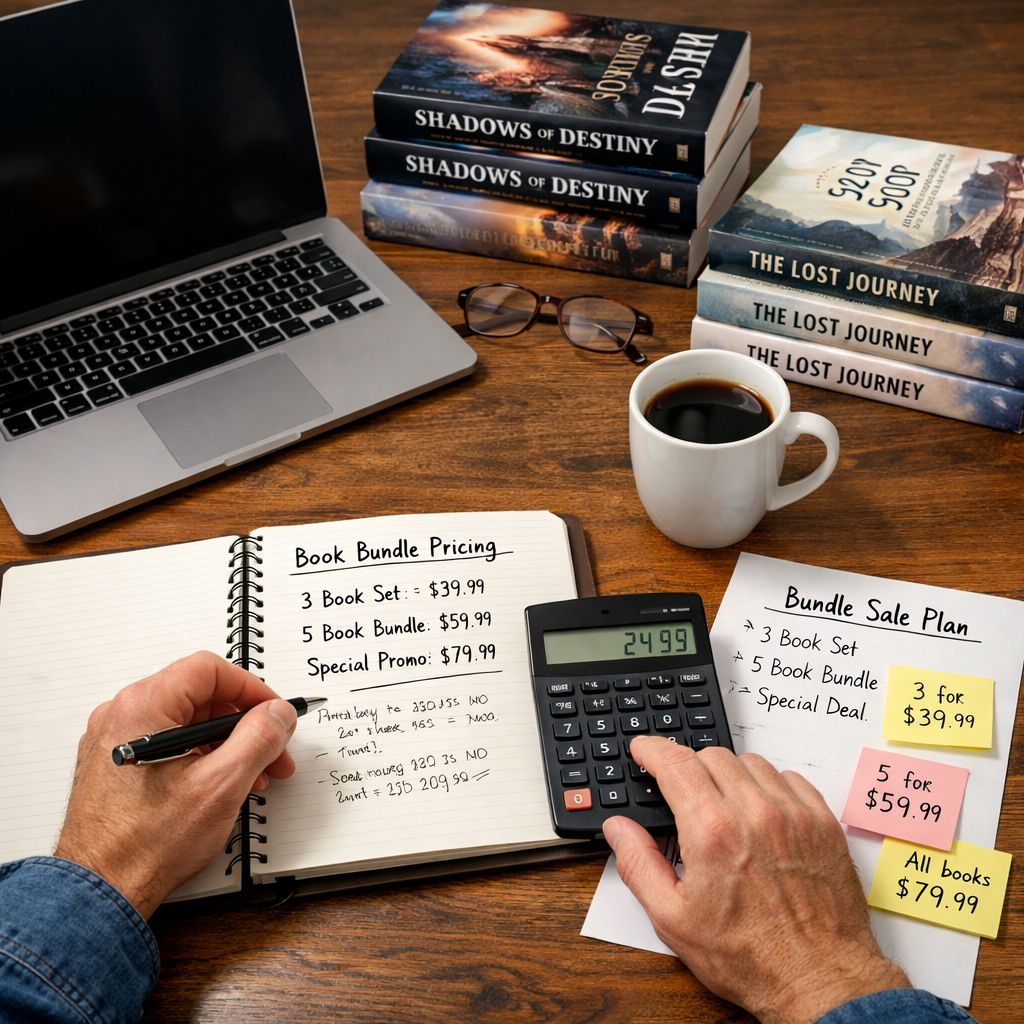
One simple trick is the price divisibility effect. If a bundle of four ebooks costs $40, a reader sees $10 per book right away. That clear math makes the deal feel fair. Leanpub explains it well in their guide.
Leanpub’s price‑divisibility articleshows how to set a bundle so the per‑book price is easy to work out.
Ask yourself three questions:
- What is the total value of the books together?
- How much do readers expect to save?
- Does the bundle solve a bigger problem for the reader?
Answering these helps you pick a price that feels like a win for both sides.
Here are three practical tips:
- List the individual prices side by side. Add them up.
- Decide on a discount that’s at least 15% but not so deep that you lose profit.
- Test the math with a friend. If they can say “That’s $X per book,” you’re good.
Think about how you’ll present the bundle on your sales page. Use a headline like “Save $12 when you buy all three guides.” That tells the reader the exact benefit.
Now that you know the value, you can move to the next step: see what others charge.
Step 2: Research Market Pricing Benchmarks
Knowing your own value is only half the story. You also need to see what readers pay for similar bundles. The bookscentral guide breaks down price ranges for different genres.
Fiction bundles often sit between $2.99 and $5.99 per ebook. Business bundles can go higher , $9.99 to $15.99 , because readers expect a big ROI.
The Books Central pricing guidenotes that a $2.99 ebook on Amazon earns about $2.09 per sale at the 70% royalty tier.
Grab a list of the top 20 books in your niche on Amazon. Write down their prices. Look for patterns. Do most bundles sit at $19‑$29? Are there any that break the mold?
When you compare, watch for these signals:
- Price gaps , if most bundles are $25‑$30, a $15 bundle may look too cheap.
- Royalty tiers , Amazon’s 70% tier only works between $2.99 and $9.99.
- Seasonal dips , many authors lower prices for holidays to boost volume.
Use a spreadsheet to track:
Notice how business bundles sit higher. That’s because readers expect a higher return on investment.
After you have the data, you can decide if you want to match the market, undercut it for volume, or go premium for a niche audience.
Step 3: Choose a Pricing Model That Fits Your Goals
Now pick a model. You have three common ways to set author book bundle pricing.
Flat Discount
You set a single price lower than the sum of the parts. Easy to explain. Works well when you want a quick sale.
Tiered Discount
You give a bigger discount as more books are added. WooCommerce lets you do tiered/volume discounts for free. That’s why many indie authors love it.
Pay‑What‑You‑Want
You let readers choose their price. Good for community building but can hurt profit if most choose low amounts.
Think about your goal. Want fast cash? Flat discount. Want long‑term fans? Tiered discount.
Here’s a quick decision flow:
- Do you need cash now? → Flat discount.
- Do you have an email list that can be nurtured? → Tiered discount.
- Are you testing a new market? → Pay‑what‑you‑want.
Each model has pros and cons. Below is a short table.
Watch the video below for a deeper dive on how each model works.
When you choose, write the price on your sales page in big text. Readers need to see it fast.
Step 4: Build a Pricing Table for Different Reader Segments
Not every reader is the same. Some are students, some are professionals, some are casual fans. A pricing table lets you speak to each group.
First, split your audience into three segments:
- New readers , low income, want a taste.
- Core fans , already bought one book, want more depth.
- Power buyers , coaches, consultants, want the whole package.
Then set a price for each tier. Example:
Notice the price steps. Each step adds value that matches what the segment cares about.
To build the table, use a spreadsheet. Add columns for segment, items, price, and expected profit. Then copy the table into your web page.
Here are three tips for a strong table:
- Show the original total price next to the bundle price. That makes the discount obvious.
- Use bold headings for each segment so readers can scan quickly.
- Include a short note on why the bundle helps that reader.
When you publish the table, link to a payment platform that supports tiered pricing.Best payment platforms for selling books and courseswalks you through options.
Step 5: Test Prices with Your Audience
Now you have a price, but you need to see if it works. Testing lets you tweak before you lock it in.
Use an email poll. Ask your list: “Which price feels fair for this bundle?” Offer three choices. Track clicks.
You can also run a short‑term sale. Set the bundle at a lower price for a week. See how many sales you get versus the regular price.
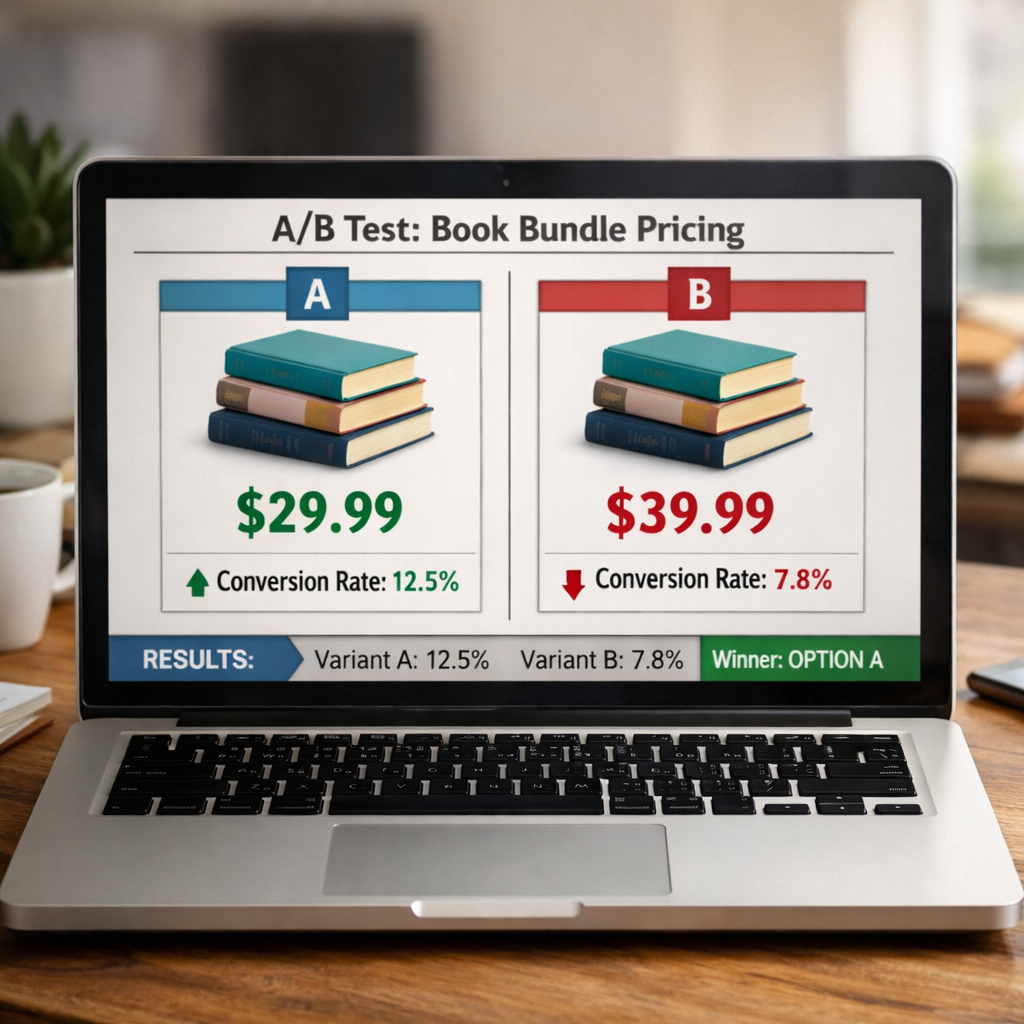
Another method is a split test on your landing page. Show two different prices to random visitors. Compare conversion rates.
When you collect data, look for two signals:
- Conversion rate , higher means price feels right.
- Revenue per visitor , the sweet spot balances price and volume.
Example: A $25 bundle sold 30 copies in a week. A $30 bundle sold 15 copies. The $25 price earned $750, the $30 earned $450. Even though the higher price made more per sale, the lower price earned more overall.
Take these steps:
- Pick three price points (low, medium, high).
- Run each for three days.
- Record sales and click‑throughs.
- Choose the point with the best revenue per visitor.
Testing keeps you from guessing. It lets data drive your author book bundle pricing.
Step 6: Adjust Based on Sales Data and Feedback
After testing, you will have numbers and comments. Use them to fine‑tune your price.
If sales are low but feedback says the bundle is great, you may need a bigger discount. If sales are high but readers say it feels cheap, you can raise the price a bit.
ChargeOver’s article on bundle pricing notes that automation can help you change prices quickly across all platforms.
Here’s a simple adjustment loop:
- Collect data (sales, clicks, comments).
- Identify the biggest gap , too few sales or too low profit.
- Change one variable (price, discount level, bonus item).
- Run a new test for a week.
- Repeat until you hit your target profit margin.
Keep a log of each change. That log becomes a playbook for future bundles.
Remember to watch royalty thresholds. If you move a bundle above $9.99 on Amazon, the royalty drops from 70% to 35%.
By staying flexible, you keep your author book bundle pricing aligned with market reality.
Step 7: Communicate Value and Promote Your Bundle
The final piece is telling readers why the bundle is a no‑brainer. Use clear language that shows the exact savings.
Barbara Grassey’s LinkedIn post explains how a bundle can boost revenue, revive a backlist, and reach new readers.
Power of book bundles on LinkedInlists five benefits: great deal, more sales, cross‑promotion, backlist boost, and less decision fatigue.
Write a sales copy that hits three points:
- What the bundle includes.
- How much the reader saves.
- Why the combo works together.
Example headline: “Get All 3 Guides for $25 , Save $10 Today!” Follow with a short paragraph that says, “These three books walk you from idea to launch, so you can skip the guesswork and start earning faster.”
Promote in three places:
- Email , send a dedicated launch email with a bold price button.
- Social , post a short video showing the books stacked, then reveal the price.
- Partners , ask an influencer in your niche to share the bundle.
When you share, use the same language as the sales page. Consistency builds trust.Finally, track the campaign. Use an analytics tool to see clicks and sales. If you see a dip after the first week, run a limited‑time discount to re‑ignite interest.
Conclusion
Setting author book bundle pricing isn’t magic. It starts with knowing the true value of your books, then seeing what the market pays. Pick a pricing model that matches your goal, build a clear table for each reader segment, test, adjust, and finally tell the world why the bundle is a win.
When you follow these steps you’ll see higher sales, happier readers, and a stronger author brand. Ready to try it? Grab your spreadsheet, set a price, and launch your first bundle today.
FAQ
What is the best way to decide how much discount to give?
Start with the price divisibility effect: make the per‑book cost easy to see. Then look at market benchmarks from similar bundles. A 15‑20% discount usually feels fair. Test three price points and choose the one that gives the highest revenue per visitor.
Can I change the bundle price after it’s live?
Yes. Use a platform that lets you edit prices quickly. ChargeOver notes that automation helps you roll out price changes across all sales channels without hand‑editing each link.
Should I offer a free sample before the bundle?
Offering a free chapter or a short video can boost trust. It gives readers a taste and makes the bundle price feel less risky. Just keep the free part short so the full bundle still feels like a big upgrade.
How do I handle taxes for bundle sales?
Taxes depend on where you and your buyers live. Most payment platforms calculate sales tax for you in the US. If you sell internationally, consider using a service that adds VAT where required. Check your local regulations to stay compliant.
What if my bundle includes both ebooks and print books?
Combine the digital price with the print cost. Show the total and the separate savings on each format. Many authors price the print version higher but still give a bundle discount that feels like a good deal.
How often should I revisit my bundle pricing?
Check every quarter. Look at sales data, royalty changes, and any new books you add. If a new title joins the bundle, recalc the total value and adjust the price to keep the discount in the 15‑20% range.